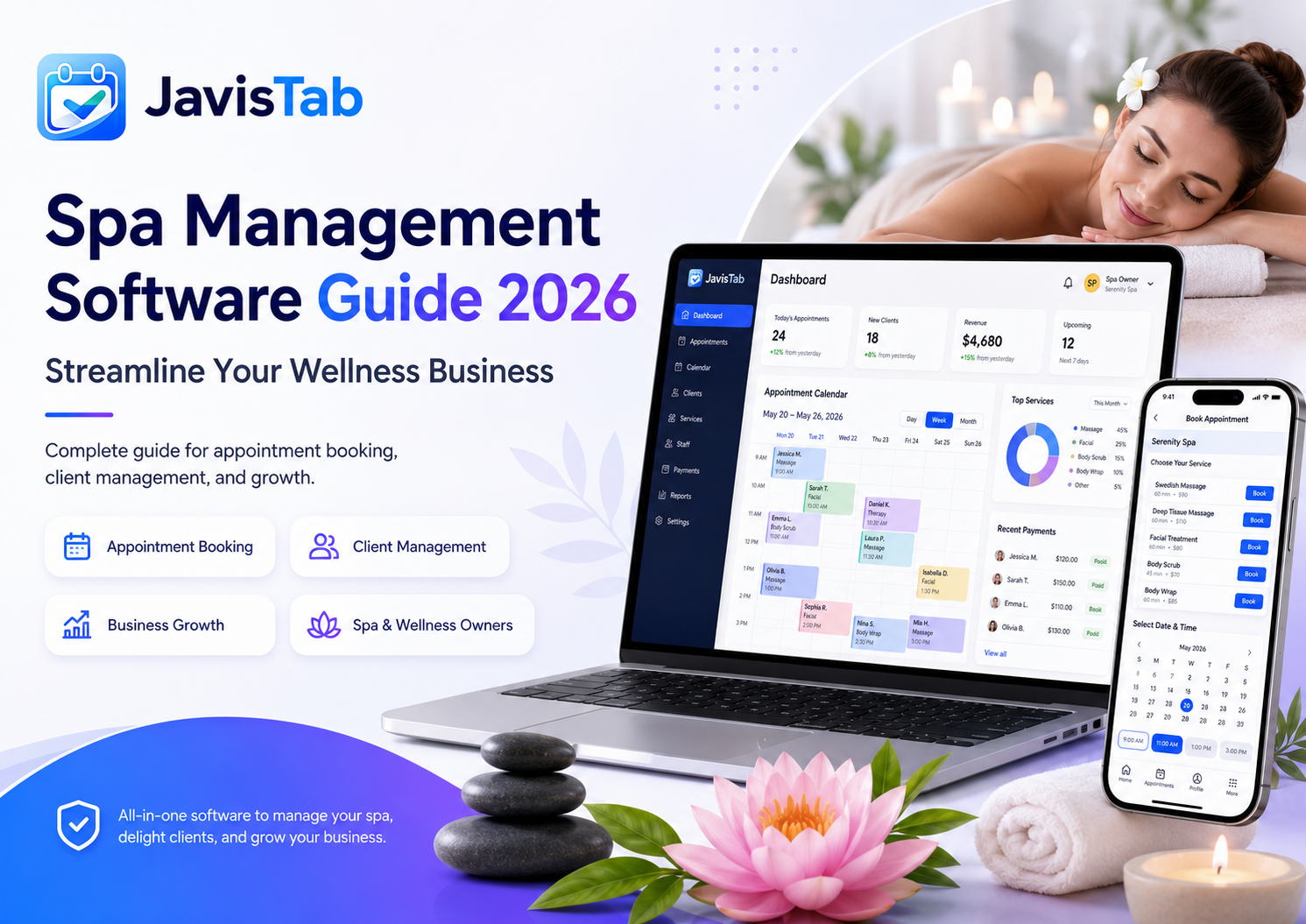
Running a spa is about creating tranquility for clients while managing the chaos behind the scenes—staff schedules, treatment room availability, inventory, client preferences, and the constant flow of appointments. The right spa management software transforms that chaos into smooth operations.
This comprehensive guide explores everything spa and wellness business owners need to know about management software in 2026. From essential features to implementation strategies, you’ll learn how to choose and deploy the right system for your business.
What You’ll Learn:
- Essential features for spa-specific operations
- How to evaluate and compare software options
- Implementation roadmap for minimal disruption
- Strategies for maximizing software ROI
- Common pitfalls and how to avoid them
Unique Challenges of Spa Operations
Spas face operational complexities that generic booking software simply can’t address. Understanding these challenges helps you evaluate software solutions more effectively.
Multi-Resource Scheduling
A spa appointment isn’t just about staff availability. You must coordinate:
- Therapist availability: Who can perform the treatment?
- Treatment room: Is the appropriate room available?
- Equipment: Are specialized tools/machines free?
- Timing: Is there enough turnaround time between clients?
A 60-minute massage requires a qualified therapist AND an available massage room AND clean linens AND adequate setup time. Missing any element means you can’t book.
Treatment Complexity
Spa services are more complex than simple appointments:
| Factor | Example Complexity |
|---|---|
| Variable duration | Same facial might take 45, 60, or 90 minutes depending on add-ons |
| Treatment sequences | Client books massage, facial, and manicure in one visit |
| Gender preferences | Client requests female therapist only |
| Specialty requirements | Hot stone massage requires specific training and equipment |
| Contraindications | Certain treatments not suitable for pregnant clients |
Client Experience Expectations
Spa clients expect seamless, relaxing experiences. Software must enable—not hinder—that experience:
- Remembering preferences (pressure level, temperature, products)
- Coordinating multi-treatment visits smoothly
- Managing special occasions (birthdays, anniversaries)
- Tracking skin conditions and treatment progress
- Enabling easy rebooking of regular treatments
Retail Integration
Many spas derive significant revenue from product sales. Software should:
- Track products used during treatments
- Enable therapists to recommend home care products
- Manage inventory across retail and back-bar products
- Link product purchases to client profiles
- Generate insights on product sales by treatment type
Essential Features for Spa Software
Not every feature matters equally. These capabilities directly impact daily operations and business growth.
1. Advanced Appointment Scheduling
Beyond basic booking, spa software must handle:
- Multi-resource booking: Staff + room + equipment coordinated automatically
- Service bundling: Book multiple treatments in optimal sequence
- Spa day packages: Pre-built combinations for easy booking
- Couples treatments: Two clients, two therapists, synchronized timing
- Wait lists: Capture demand when slots are full
2. Treatment Room Management
Visual room management showing:
- Room availability in real-time
- Room type suitability for different treatments
- Turnover time between appointments
- Cleaning/preparation schedules
- Equipment availability within rooms
3. Staff Management
Comprehensive therapist management including:
- Individual availability and working hours
- Service qualifications and certifications
- Client preferences and assignments
- Commission and tip tracking
- Performance metrics (bookings, revenue, retention)
4. Client Management (CRM)
Detailed client profiles are essential for personalized spa experiences:
- Treatment history: Every service received with dates
- Preferences: Pressure, temperature, music, therapist preferences
- Health information: Allergies, conditions, contraindications
- Notes: Special requests, conversation topics, gift occasions
- Product purchases: What they’ve bought for home care
- Spending data: Lifetime value, visit frequency, average ticket
Integrated booking with CRM functionality keeps all this information connected and actionable.
5. Online Booking
24/7 booking capability that handles spa complexity:
- Service categories and descriptions
- Staff selection with photos and bios
- Add-on suggestions during booking
- Package purchasing
- Gift certificate purchases
- Mobile-optimized booking experience
6. Automated Communications
Spa-appropriate messaging:
- Confirmation: Immediate booking confirmation with preparation instructions
- Reminders: 48-hour and day-before reminders (reduces no-shows)
- Pre-visit: Arrival instructions, health form links, parking info
- Follow-up: Thank you with rebooking prompt and review request
- Re-engagement: Outreach to clients who haven’t visited recently
7. Payment Processing
Spa-specific payment needs:
- Service and retail checkout combined
- Gratuity handling and distribution
- Package and membership payments
- Deposits and prepayments
- Gift certificate redemption
- Split payments
8. Reporting and Analytics
Essential reports for spa management:
- Revenue reports: By service, therapist, time period
- Occupancy reports: Room and therapist utilization
- Client reports: New vs. returning, retention rates
- Service popularity: Most/least booked treatments
- Staff performance: Bookings, revenue, client feedback
- Retail reports: Product sales, inventory levels
Types of Spa Management Software
Understanding different software approaches helps you choose the right fit.
All-in-One Cloud Platforms
Comprehensive systems covering booking, POS, marketing, and reporting.
Examples: Mindbody, Vagaro, Booker
Pros:
- Complete feature set in one platform
- Always updated with latest features
- Accessible from anywhere
Cons:
- Monthly subscription costs add up
- Less control over your data
- Features may exceed needs (and budget)
WordPress-Based Solutions
Booking plugins that integrate with your WordPress website.
Examples: JavistAB, Amelia, Bookly
Pros:
- Lower ongoing costs (annual vs. monthly fees)
- Complete data ownership
- Integrates with existing WordPress site
- Customization flexibility
Cons:
- Requires WordPress website
- You manage hosting and updates
- May need separate POS system
Industry-Specific Platforms
Software built specifically for spa/wellness businesses.
Examples: SpaSoft, Springer-Miller, Agilysys
Pros:
- Deep spa-specific functionality
- Industry expertise in support
- Often includes hotel/resort integration
Cons:
- Premium pricing
- Complex implementation
- May be overkill for smaller spas
Choosing the Right Type
| Business Type | Recommended Approach |
|---|---|
| Small day spa (1-3 treatment rooms) | WordPress solution like JavistAB |
| Medium spa (4-8 rooms, retail focus) | All-in-one cloud platform or WordPress + POS |
| Large spa / resort spa | Industry-specific platform |
| Mobile spa services | WordPress solution with location features |
| Wellness center (multiple service types) | Flexible WordPress solution |
How to Evaluate Your Options
Follow this systematic approach to choose confidently.
Step 1: Document Your Requirements
Before looking at any software, list:
- Must-have features: Non-negotiable requirements
- Nice-to-have features: Valuable but not essential
- Current pain points: What problems must the software solve?
- Budget constraints: Maximum monthly/annual investment
- Technical constraints: Platform requirements, integration needs
Step 2: Create a Shortlist
Based on requirements, identify 3-4 options for deeper evaluation. Don’t waste time evaluating 10+ options—narrow quickly based on core requirements and budget.
Step 3: Hands-On Testing
For each shortlist option:
- Request demo or start free trial
- Set up your actual services and staff
- Complete multiple booking scenarios
- Test the client experience (book as a customer)
- Explore reporting and analytics
- Contact support with a question
Step 4: Involve Your Team
Staff who will use the software daily should participate in evaluation:
- Front desk staff: Booking and client management
- Therapists: Schedule viewing, client notes access
- Management: Reporting and analytics
Step 5: Calculate True Costs
Beyond subscription fees, consider:
- Payment processing fees
- SMS/notification costs
- Add-on or premium feature costs
- Training and implementation time
- Data migration costs
Implementation Guide
Successful implementation requires careful planning to minimize disruption to your spa operations.
Pre-Implementation (2-4 Weeks)
Data Preparation
- Export client data from current system
- Clean and organize client records
- Document all services with accurate details
- List all staff with schedules and services
- Gather room and resource information
Team Communication
- Announce the change and explain benefits
- Address concerns and questions
- Identify champions who will support others
- Schedule training sessions
Configuration (1-2 Weeks)
System Setup
- Install/activate software
- Configure general settings (timezone, currency, business info)
- Set up treatment rooms and resources
- Add all services with durations and pricing
- Create staff profiles with availability
- Configure payment processing
- Set up automated notifications
- Import client data
Testing
- Complete booking tests for every service type
- Verify room and staff assignments work correctly
- Test payment processing
- Confirm notifications send correctly
- Test on mobile devices
Training (1 Week)
Training approaches by role:
Front desk:
- Creating and modifying bookings
- Client check-in process
- Payment processing
- Handling common issues
Therapists:
- Viewing their schedule
- Accessing client profiles and notes
- Adding treatment notes
Management:
- Running reports
- Managing staff schedules
- Configuring settings
- Handling exceptions
Go-Live
- Migrate remaining appointments from old system
- Activate online booking
- Update all booking links (website, social media, Google)
- Notify clients about new booking system
- Monitor closely for first 2 weeks
- Address issues immediately
Maximizing Your Investment
Implementing software is just the beginning. These strategies ensure you get full value.
Reduce No-Shows
No-shows are devastating for spas—a missed massage is lost revenue that can’t be recovered.
Effective tactics:
- Require deposits for high-value treatments (50% or flat fee)
- Send multiple reminders (48 hours, 24 hours, day-of)
- Use SMS for critical reminders (higher open rates than email)
- Implement clear cancellation policies with consequences
- Track repeat offenders and require prepayment
Most spas see 60-80% reduction in no-shows after implementing proper reminder systems and deposit requirements.
Increase Average Ticket
Use your software to drive higher spend per visit:
- Upsell add-ons: Suggest enhancements during booking (“Add hot stones for $25”)
- Treatment packages: Create bundled offerings at attractive prices
- Retail recommendations: Track treatments and suggest appropriate home care products
- Membership programs: Recurring revenue with committed clients
Improve Client Retention
Leverage client data for better retention:
- Rebooking prompts: Suggest next appointment before client leaves
- Automated re-engagement: Reach out to clients who haven’t visited recently
- Personalized offers: Birthday discounts, anniversary specials
- VIP recognition: Special treatment for your best clients
Optimize Capacity
Use reporting to maximize utilization:
- Identify slow periods and create promotions to fill them
- Track therapist utilization and adjust staffing
- Monitor room usage and optimize scheduling
- Analyze which services are most profitable per hour
Gather and Use Feedback
Automated follow-ups enable systematic feedback collection:
- Send review requests after appointments
- Track satisfaction trends over time
- Identify and address issues quickly
- Use positive reviews in marketing
Case Study: Serenity Spa’s Digital Transformation
Serenity Spa, a 5-room day spa in Austin, Texas, struggled with manual operations that limited growth and created daily headaches.
The Situation
- Paper appointment book causing frequent double-bookings
- No online booking—all appointments by phone
- 25% no-show rate costing $3,000+/month in lost revenue
- Client preferences stored on sticky notes
- No visibility into business performance
The Solution
Serenity implemented a WordPress-based spa management solution with:
- Online booking integrated with their website
- Automated email and SMS reminders
- Required 25% deposit for appointments over $100
- Comprehensive client profiles with preferences
- Staff and room scheduling coordination
The Results (6 Months)
| Metric | Before | After | Impact |
|---|---|---|---|
| No-Show Rate | 25% | 4% | $2,800/month saved |
| Online Bookings | 0% | 68% | 3+ hours/day saved |
| Average Ticket | $95 | $118 | +24% |
| Monthly Revenue | $42,000 | $58,000 | +38% |
| Client Retention | 52% | 71% | +36% |
Key Learnings
Deposits changed everything: The 25% deposit requirement was initially controversial, but clients accepted it quickly. Those who didn’t want to pay deposits were often the most likely to no-show anyway.
Client data drives personalization: Having preferences and history at their fingertips transformed how therapists interacted with returning clients. Clients noticed and appreciated the personalized experience.
Online booking freed the team: Reducing phone time by 70% let front desk staff focus on in-spa experience rather than constant phone interruptions.
Frequently Asked Questions
How long does implementation typically take?
For a small to medium spa, expect 4-6 weeks from decision to go-live. This includes data preparation (1-2 weeks), configuration and testing (1-2 weeks), training (1 week), and soft launch period (1 week). Larger operations may need longer.
Can I run both old and new systems during transition?
Yes, and we recommend it. Run both systems in parallel for 1-2 weeks. Take new bookings in the new system while honoring existing appointments from the old system. This reduces risk and gives staff time to adjust.
What about clients who don’t want to book online?
Online booking is an addition, not a replacement. Staff can still create bookings for clients who call or walk in. Most spas find that 50-70% of bookings move online, freeing staff time for those who prefer personal assistance.
How do I handle couples treatments in booking software?
Good spa software supports couples bookings by coordinating two therapists, two rooms (or one couples suite), and synchronized timing. Look for this feature specifically if couples treatments are significant for your business.
Should I require deposits for all appointments?
Consider tiered requirements: no deposit for low-value services (30-minute treatments), 25-50% deposit for standard services, and higher deposits or full prepayment for premium treatments. This balances client convenience with no-show risk management.
How do I migrate client data from paper records?
Start with essential information (name, contact, basic history). Have front desk staff update profiles with preferences and notes during client check-ins over time. Trying to digitize everything at once is overwhelming—incremental improvement works better.
Transform Your Spa Operations
The right spa management software transforms how you run your business—reducing administrative burden, eliminating scheduling conflicts, and enabling the personalized experiences clients expect from premium wellness establishments.
Start by clearly defining your requirements, evaluate options methodically, and implement thoughtfully. The investment in proper setup pays dividends through reduced no-shows, increased bookings, and the time your team gains back to focus on exceptional client experiences.
In the competitive spa industry, operational efficiency isn’t just about convenience—it’s a competitive advantage that directly impacts profitability and client satisfaction.
Ready to Streamline Your Spa?
JavistAB combines spa booking capabilities with integrated CRM—manage appointments and build lasting client relationships in one powerful WordPress plugin.
Try Free Demo Explore FeaturesShare this article
Related articles
Best WordPress Booking Plugin: What to Compare Before You Buy
Start with the booking model, not the brand A booking plugin can look polished and still be wrong for the business. A solo consultant needs one-to-one appointments and calendar protection.…
How to Configure Booking Deposits on WordPress
Booking deposit start with a deposit policy, not a gateway A deposit is a risk-control rule. It may protect scarce staff time, equipment, rooms, tables, group capacity, or advance preparation.…
JavisTab vs Amelia: Features, Pricing, Best Fit and Trade-offs
JavisTab vs Amelia at a glance WordPress booking plugin comparison : JavisTab and Amelia overlap in online booking, staff/services, locations, payments, deposits, notifications, customer records, and WordPress ownership. Their centers…
How to Set Up a Restaurant Reservation System on WordPress
What a restaurant reservation system must control A restaurant reservation system is more than a calendar. It decides whether a real piece of inventory—usually a table, a combination of tables,…