

WooCommerce plugin for EU stores | Selling online in the European Union can be profitable, but it also brings complex VAT requirements. If your WooCommerce store sells to both consumers and businesses across EU countries, you may need to handle VAT rates, VAT number validation, reverse charge rules, invoices, tax records, and checkout logic correctly.
That is why many store owners search for a reliable WooCommerce plugin for EU stores that can support VAT reverse charge and compliance workflows.
JavisTab WordPress plugin | booking plugin with payments
A standard WooCommerce setup can calculate taxes, but EU B2B and cross-border sales often require more than basic tax rates. You may need to identify whether the buyer is a business, validate their VAT number, apply reverse charge when eligible, show the correct VAT status at checkout, and save the right information on the order and invoice.
This guide explains what EU VAT reverse charge means, when WooCommerce stores may need it, which plugin features to look for, and how to build a safer compliance workflow for your online store.
Important note: This article is for general educational purposes only. VAT rules can vary by country, business type, product type, and transaction structure. Always confirm your tax setup with a qualified accountant or VAT advisor.
What Is VAT Reverse Charge for EU WooCommerce Stores?
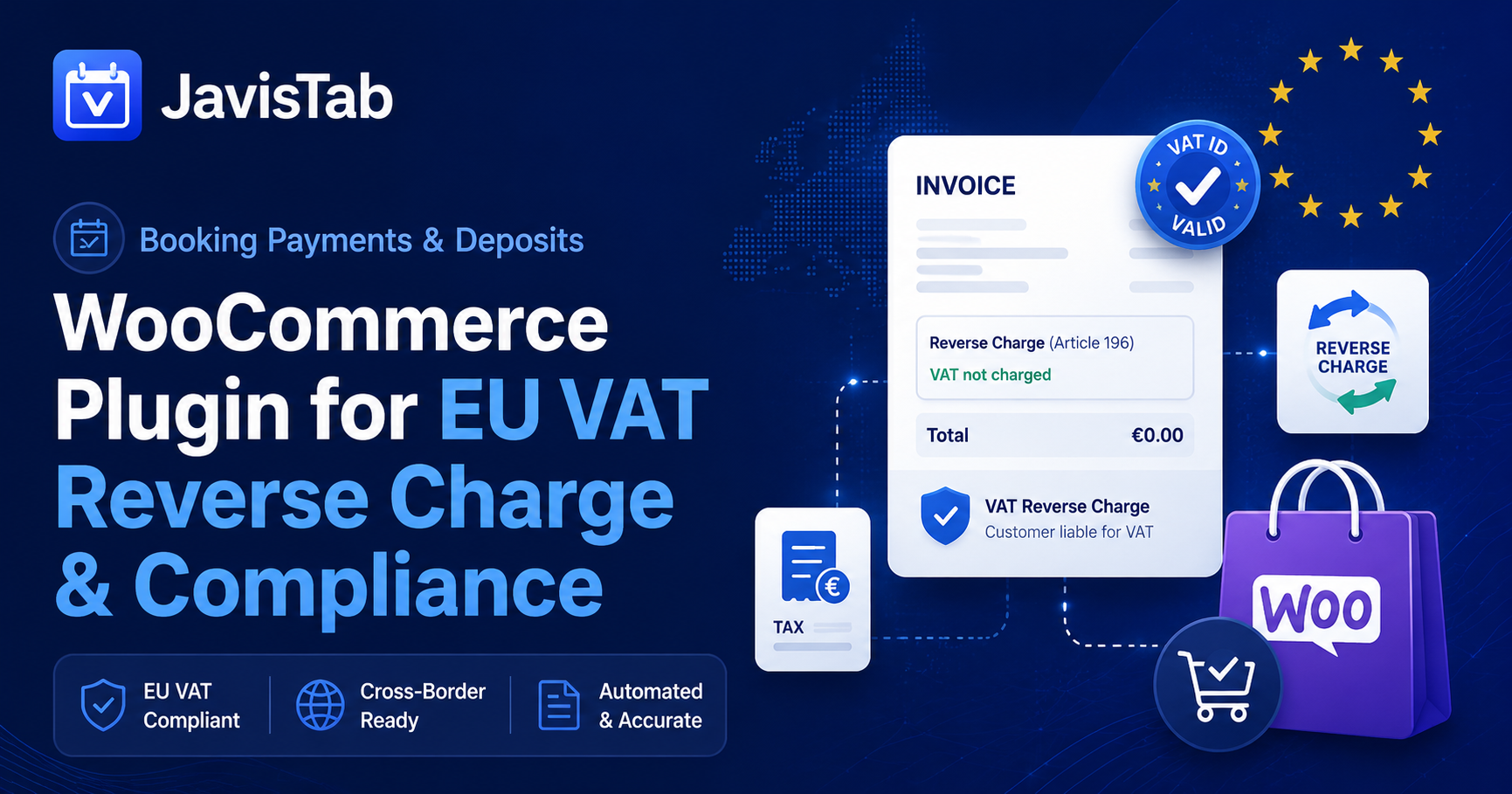
VAT reverse charge is a tax mechanism where the buyer, not the seller, accounts for VAT in certain B2B transactions.
In a normal sale, the seller charges VAT to the customer, collects it, and reports it to the tax authority. Under reverse charge, the seller may issue the invoice without charging VAT, and the business customer accounts for VAT in their own country.
For WooCommerce stores, this matters because your checkout may need to treat customers differently depending on:
- Whether the customer is a private consumer or a business
- Whether the customer has a valid VAT number
- Whether the buyer and seller are in different EU countries
- Whether the product or service is eligible for reverse charge
- Whether local VAT, OSS, or another tax rule applies
- Whether your invoice needs specific reverse charge wording
Without the right plugin or workflow, a WooCommerce store may accidentally charge VAT when it should not, remove VAT when it should not, or fail to collect enough evidence for accounting records.
Why Standard WooCommerce Tax Settings May Not Be Enough
WooCommerce includes tax settings that let store owners configure tax rates, display prices including or excluding tax, and calculate tax based on location rules. For many simple stores, this is enough.
However, EU VAT compliance often requires additional logic.
A WooCommerce store selling across the EU may need to:
- Add a VAT number field at checkout
- Validate the VAT number before completing the order
- Confirm that the VAT number matches the billing country
- Distinguish B2B buyers from B2C consumers
- Remove VAT only for eligible reverse charge transactions
- Keep VAT validation records
- Save buyer VAT details on the order
- Display the correct tax status on the invoice
- Add required reverse charge text to invoices
- Handle failed VAT validation gracefully
- Support accountants during VAT reporting
This is why a dedicated EU VAT plugin for WooCommerce can be useful.
Who Needs a WooCommerce VAT Reverse Charge Plugin?
A VAT reverse charge plugin may be useful if your WooCommerce store sells to EU customers and has B2B transactions.
Common examples include:
- SaaS companies selling subscriptions
- WordPress plugin businesses selling digital products
- Agencies selling services to EU business clients
- Online stores selling goods across EU countries
- B2B eCommerce stores
- Training providers selling courses to businesses
- Membership websites with EU business customers
- Booking platforms selling prepaid services
- Digital product stores
- Marketplaces or multi-vendor stores with EU tax complexity
If your store only sells locally to consumers in one country, your needs may be simpler. But if your store accepts both B2B and B2C customers across borders, VAT logic becomes more important.
Essential Features in a WooCommerce Plugin for EU VAT Compliance
When choosing a WooCommerce plugin for EU stores, look for features that support both checkout experience and accounting accuracy.
1. VAT Number Field at Checkout
The plugin should add a clear VAT number field during checkout.
Ideally, it should also support:
- Company name field
- Billing country validation
- Optional or required VAT number rules
- B2B/B2C customer type selection
- VAT number field on account registration
- VAT number field in customer account details
The checkout should make the process easy for business buyers without confusing private consumers.
2. VIES VAT Number Validation
For EU cross-border B2B sales, VAT number validation is one of the most important compliance steps.
A good plugin should validate VAT numbers using VIES or another trusted validation source. It should check whether the number is active and whether the format matches the customer’s country.
Recommended validation logic:
- Check VAT number format
- Validate through VIES where available
- Match VAT prefix with billing country
- Display a clear error message if validation fails
- Save validation status to the order
- Allow admin review when validation is unavailable
- Log validation date and response when possible
This helps reduce mistakes and gives your accounting team better records.
3. Automatic Reverse Charge Logic
The plugin should automatically apply reverse charge only when the order qualifies.
A simple example:
- Seller is VAT-registered in one EU country
- Buyer is a business in another EU country
- Buyer provides a valid VAT number
- Transaction type is eligible for reverse charge
- VAT should be removed from the checkout total
- Invoice should clearly show that reverse charge applies
The plugin should not remove VAT just because a customer enters text into a VAT field. It should verify eligibility first.
4. B2B and B2C Checkout Rules
A strong WooCommerce VAT plugin should separate business customers from private consumers.
For example:
| Customer Type | VAT Number | Checkout Result |
|---|---|---|
| Local B2C customer | Not required | Local VAT applies |
| Local B2B customer | May be required depending on local rules | Local VAT may apply |
| Cross-border EU B2C customer | Not required | VAT rules depend on destination/OSS setup |
| Cross-border EU B2B customer | Valid VAT number required | Reverse charge may apply |
| Invalid VAT number | Invalid or missing | VAT should usually remain applied until verified |
This logic protects the store from incorrect VAT removal.
5. Invoice Support
For EU VAT compliance, the invoice matters.
A good setup should allow your WooCommerce invoices to include:
- Seller business name and address
- Seller VAT number
- Buyer business name and address
- Buyer VAT number when relevant
- Unique invoice number
- Invoice date
- Product or service description
- Tax rate or exemption status
- VAT amount if VAT is charged
- Reverse charge wording when reverse charge applies
- Order total excluding VAT when appropriate
If you use a separate PDF invoice plugin, make sure the VAT plugin can pass VAT details correctly to the invoice template.
6. Order Record and Audit Trail
Your store should keep enough information for review and accounting.
Useful order records include:
- VAT number entered by customer
- VAT validation status
- Billing country
- Customer type
- Reverse charge status
- Tax amount removed or charged
- Validation timestamp
- Checkout IP country or location evidence where relevant
- Admin notes
- Invoice copy
- Refund or credit note history
If a tax authority or accountant asks why VAT was not charged, your order record should provide a clear explanation.
7. Compatibility With WooCommerce Payments and Subscriptions
If your store sells subscriptions, memberships, bookings, deposits, or recurring payments, make sure the VAT plugin works with your payment and checkout structure.
Check compatibility with:
- Stripe
- PayPal
- WooPayments
- WooCommerce Subscriptions
- WooCommerce Bookings
- PDF invoice plugins
- Multi-currency plugins
- Checkout block or classic checkout
- B2B customer role plugins
- CRM or customer management tools
For stores selling appointments, reservations, or prepaid bookings, VAT logic should work smoothly before payment is collected.
How VAT Reverse Charge Works in WooCommerce Checkout
A clean WooCommerce reverse charge workflow usually follows these steps.
Step 1: Customer Selects Product or Service
The customer adds a product, digital download, subscription, appointment, or bookable service to the cart.
Step 2: Customer Enters Billing Details
The checkout collects:
- Name
- Company name
- Billing country
- Billing address
- VAT number if the customer is a business
Step 3: Plugin Validates VAT Number
The plugin checks whether the VAT number is valid and whether it matches the billing country.
Step 4: Plugin Determines Tax Treatment
The plugin decides whether the order should be:
- Taxed normally
- Exempt from VAT
- Marked as reverse charge
- Sent for manual review
- Blocked until a valid VAT number is entered
Step 5: Checkout Total Updates Automatically
If reverse charge applies, VAT is removed from the order total. The checkout should clearly communicate why VAT has been removed.
Suggested checkout message:
VAT reverse charge applied. The customer is responsible for accounting for VAT in their country.
Step 6: Order and Invoice Store VAT Details
After payment, the order record and invoice should include the correct VAT details and reverse charge status.
Recommended Setup Checklist for WooCommerce EU VAT Compliance
Use this checklist before launching your EU WooCommerce store.
Store Tax Settings
- Enable WooCommerce tax calculations
- Confirm whether prices are entered including or excluding tax
- Set store base country correctly
- Add tax rates where required
- Confirm B2C VAT handling
- Confirm B2B reverse charge handling
- Check OSS requirements if selling cross-border B2C
Checkout Fields
- Add company name field
- Add VAT number field
- Decide whether VAT number is optional or required
- Validate VAT number format
- Validate VAT number through VIES where possible
- Match VAT prefix with billing country
- Show clear validation messages
Reverse Charge Logic
- Apply reverse charge only for eligible B2B transactions
- Keep VAT applied when validation fails
- Do not allow fake VAT numbers to remove tax
- Store validation evidence
- Add reverse charge wording to invoice
- Test local and cross-border scenarios
Invoice Setup
- Use sequential invoice numbers
- Add seller VAT number
- Add buyer VAT number where relevant
- Add tax rate or exemption details
- Add reverse charge text
- Save PDF invoice to the order
- Test invoices before launch
Accounting Review
- Ask your accountant to review checkout logic
- Test example orders from multiple EU countries
- Confirm reporting requirements
- Document your VAT workflow
- Review setup after tax rule changes
Common Mistakes to Avoid
Mistake 1: Removing VAT for Any Entered VAT Number
A customer may enter an invalid, inactive, or incorrectly formatted VAT number. Your store should not remove VAT unless the transaction qualifies.
Mistake 2: Not Matching VAT Number to Billing Country
If the customer chooses Germany but enters a French VAT number, the order should be reviewed or blocked depending on your policy.
Mistake 3: Forgetting Invoice Wording
When reverse charge applies, the invoice usually needs clear reverse charge wording. If the invoice does not explain the tax treatment, it may create problems for your accounting records.
Mistake 4: Treating B2B and B2C Customers the Same
EU VAT rules can differ between business customers and private consumers. Your checkout should not use one simple rule for everyone.
Mistake 5: Not Testing Edge Cases
Before launch, test scenarios such as:
- Valid VAT number
- Invalid VAT number
- Local business buyer
- Cross-border business buyer
- Private consumer
- Digital product
- Physical product
- Subscription renewal
- Refund
- Coupon
- Zero-value order
- Failed payment
- Manual order
Best WooCommerce VAT Plugin Features to Compare
Before installing a plugin, compare these features.
| Feature | Why It Matters |
| VAT number field | Collects required B2B tax information |
| VIES validation | Helps confirm EU VAT number validity |
| Country matching | Reduces incorrect reverse charge application |
| Automatic VAT exemption | Removes VAT only when eligible |
| Invoice integration | Adds VAT details and reverse charge wording |
| Order metadata | Saves validation proof for accounting |
| Checkout block compatibility | Works with modern WooCommerce checkout |
| Subscription support | Handles recurring billing correctly |
| Multi-currency support | Useful for international stores |
| Manual override | Allows admin review for special cases |
| Export reports | Helps accountants prepare VAT records |
WooCommerce VAT Reverse Charge Example
Here is a simple example.
A WordPress plugin company based in France sells a software license to a VAT-registered business in Germany.
The German customer enters:
- Company name
- German billing address
- Valid German VAT number
The WooCommerce VAT plugin validates the VAT number and confirms that the buyer is a VAT-registered business in another EU country.
If the transaction qualifies, the checkout removes VAT and applies reverse charge. The invoice includes the buyer VAT number and reverse charge wording.
The seller keeps the order record, VAT validation result, invoice, and payment record for accounting.
How This Applies to Booking, Appointment, and Service Businesses
EU VAT compliance is not only for traditional product stores. It can also affect businesses selling:
- Paid appointments
- Consultation packages
- Restaurant deposits
- Spa packages
- Salon deposits
- Online classes
- Event tickets
- Memberships
- Prepaid services
- Booking-based digital products
If your WordPress website accepts bookings and payments, the booking workflow and tax workflow should work together.
For example, a spa selling prepaid treatment packages to EU business clients may need both:
- A booking system to manage appointments, customer history, reminders, and payments
- A VAT workflow to handle tax rules, VAT numbers, invoices, and reverse charge logic
That is where a strong WordPress booking system and a reliable WooCommerce VAT setup can support each other.
Where JavisTab Fits
JavisTab is an all-in-one WordPress booking plugin with CRM, payments, reminders, floor plan, customer management, and service business workflows.
For businesses that sell appointments, reservations, deposits, or prepaid services through WordPress, JavisTab helps manage the operational side of the customer journey:
- Online bookings
- Customer profiles
- Booking history
- Payment and deposit workflows
- Automated reminders
- Staff and service management
- Multi-location booking
- Waitlist and booking recovery
- Loyalty and repeat booking tools
- Review request automation
If your business also uses WooCommerce for checkout, invoicing, or eCommerce sales, you should combine your booking workflow with a properly reviewed WooCommerce VAT setup. JavisTab can support the booking and customer management layer, while your WooCommerce tax configuration and VAT plugin handle VAT-specific compliance requirements.
This gives your business a more complete WordPress stack:
- JavisTab for bookings, CRM, payments, reminders, and customer operations
- WooCommerce for checkout and order management
- EU VAT plugin for VAT number validation and reverse charge logic
- Accountant-approved process for reporting and compliance
Implementation Guide: Setting Up a Safer WooCommerce VAT Workflow
Step 1: Confirm Your VAT Requirements
Before installing plugins, ask your accountant:
- Which countries do you sell to?
- Are your customers B2B, B2C, or both?
- Do you sell goods, digital products, services, or bookings?
- Do you need OSS?
- When should reverse charge apply?
- What invoice wording is required?
- What records should you keep?
Do not rely only on plugin settings for legal decisions.
Step 2: Configure WooCommerce Tax Settings
Enable WooCommerce taxes and confirm:
- Store base country
- Tax calculation location
- Prices including or excluding tax
- Display prices in cart and checkout
- Rounding settings
- Tax classes
- Tax rates
Test the default tax calculation before adding advanced VAT rules.
Step 3: Install a VAT Number Validation Plugin
Choose a plugin that supports:
- VAT number checkout field
- VIES validation
- Reverse charge logic
- Order metadata
- Invoice compatibility
- Admin override
- Clear checkout messages
Avoid plugins that only add a text field without validation or order records.
Step 4: Connect Invoice Templates
Make sure your PDF invoice plugin can display:
- Customer VAT number
- Seller VAT number
- Reverse charge wording
- Tax status
- Net amount
- VAT amount if applicable
Run test orders and download invoices before going live.
Step 5: Test Multiple Scenarios
Create test orders for:
- Local B2C customer
- Local B2B customer
- Cross-border EU B2B customer with valid VAT number
- Cross-border EU B2B customer with invalid VAT number
- Cross-border EU B2C customer
- Refund
- Coupon
- Subscription renewal
- Manual admin order
Document the expected result for each scenario.
Step 6: Train Your Admin Team
Your team should understand:
- What a valid VAT number looks like
- When VAT is removed
- When to contact the customer
- How to review order metadata
- How to regenerate invoices
- How to export reports for accounting
- When to ask the accountant for help
A plugin can automate the workflow, but your team still needs a clear process.
SEO Checklist for EU WooCommerce Stores
VAT compliance is not only a backend topic. It can also improve customer trust.
Add helpful content to your website:
- VAT information page
- B2B checkout explanation
- Invoice request policy
- Refund and credit note policy
- Terms and conditions
- Privacy policy
- Payment policy
- Support email for billing questions
- FAQ about VAT number validation
- FAQ about reverse charge
Recommended page titles:
- VAT Information for EU Customers
- B2B Orders and VAT Number Validation
- Invoices and Reverse Charge VAT
- WooCommerce VAT Compliance for Business Customers
These pages can help reduce support questions and improve buyer confidence.
FAQ: WooCommerce Plugin for EU VAT Reverse Charge
What is a WooCommerce plugin for EU stores?
A WooCommerce plugin for EU stores helps store owners manage EU-specific workflows such as VAT number collection, VAT validation, reverse charge logic, invoice details, and tax-related checkout rules.
Does WooCommerce support VAT by default?
WooCommerce includes tax settings and tax rate configuration. However, complex EU B2B reverse charge workflows often require additional plugins or custom configuration.
What is VAT reverse charge in WooCommerce?
VAT reverse charge in WooCommerce means that VAT may be removed from the order total for eligible B2B transactions, and the buyer is responsible for accounting for VAT in their own country.
Do I need to validate EU VAT numbers?
If you apply reverse charge for EU B2B transactions, VAT number validation is strongly recommended. Many stores use VIES validation to check whether a VAT number is valid for cross-border EU trade.
Should VAT be removed for every business customer?
No. VAT should only be removed when the transaction qualifies. A business name alone is not enough. You may need a valid VAT number, correct country logic, and accountant-approved rules.
What happens if VIES is unavailable?
Your store should have a fallback process. Depending on your policy, you may keep VAT applied, allow manual review, or ask the customer to try again later. Confirm the best approach with your accountant.
Should reverse charge text appear on invoices?
When reverse charge applies, invoices usually need clear reverse charge wording. Your invoice template should support this automatically when the order qualifies.
Can JavisTab handle EU VAT compliance?
JavisTab is designed for WordPress booking, CRM, payments, reminders, customer management, and service business workflows. For VAT-specific compliance such as VAT number validation, reverse charge logic, and invoice tax wording, use a dedicated WooCommerce VAT setup and confirm the configuration with your accountant.
Is this only for digital products?
No. EU VAT rules can apply to goods, services, digital products, bookings, subscriptions, and B2B transactions. The exact treatment depends on your business, location, product type, and customer type.
What is the safest setup for EU WooCommerce stores?
A safer setup includes WooCommerce tax settings, a VAT validation plugin, invoice integration, order metadata, clear checkout messaging, accountant review, and regular testing.
Final Recommendation
A reliable WooCommerce plugin for EU stores should do more than add a VAT number field. It should help your store validate business customers, apply reverse charge only when eligible, save order evidence, support invoice requirements, and make checkout clear for both B2B and B2C buyers.
For businesses that also manage bookings, appointments, reservations, or prepaid services, JavisTab can support the operational side of your WordPress business: bookings, CRM, payments, reminders, customer profiles, loyalty, waitlist, and review automation.
Use the right tool for each layer:
- WooCommerce for checkout and orders
- A VAT plugin for EU VAT validation and reverse charge logic
- JavisTab for booking operations, CRM, payments, and customer management
- A qualified accountant for tax decisions and compliance review
Ready to improve your WordPress booking workflow?
Start your free JavisTab trial and manage bookings, customers, payments, and reminders from one WordPress dashboard.