
Booking plugin comparison | WordPress booking plugin with CRM
Choosing a WordPress booking plugin feels overwhelming. There are dozens of options, each claiming to be the best, with feature lists that blur together after the first three comparisons.
How do you actually know which one fits your business?
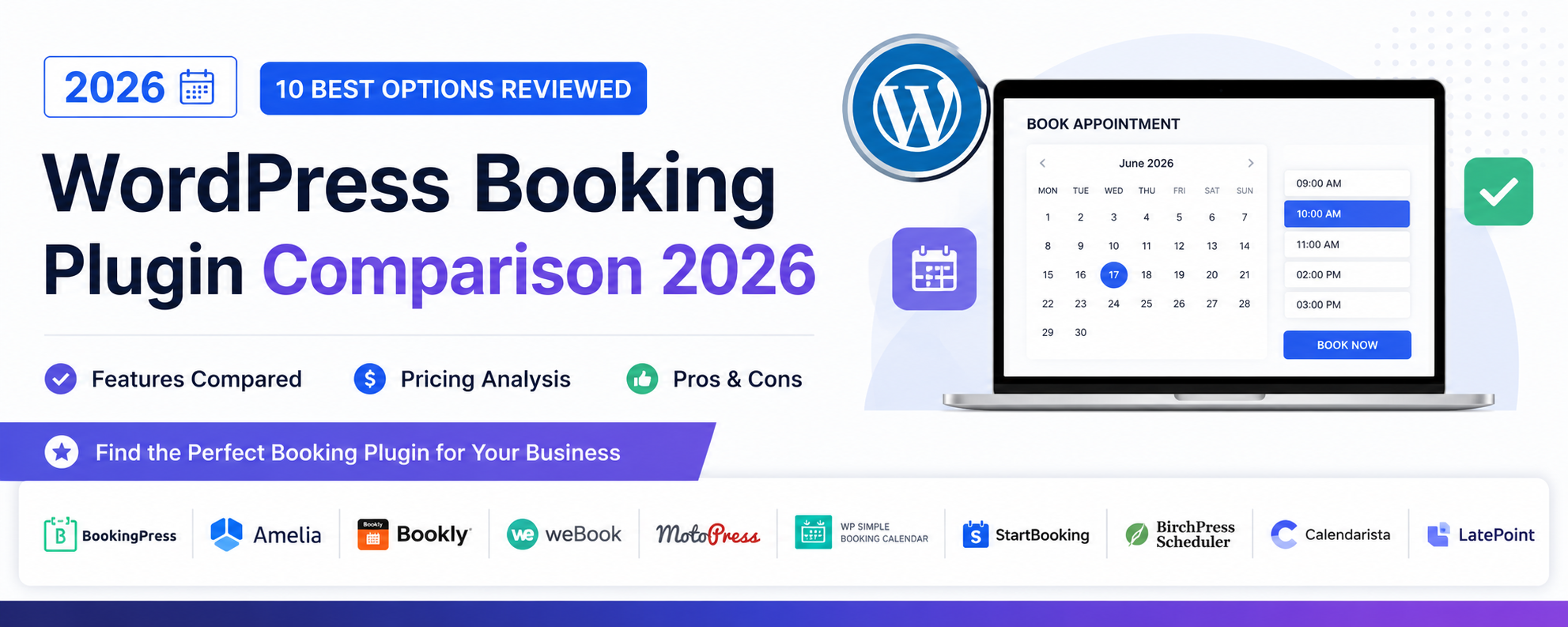
This comprehensive booking plugin comparison cuts through the marketing noise. We tested the 10 most popular WordPress booking plugins in real-world scenarios, documenting features, pricing, performance, and limitations so you can make an informed decision.
What This Comparison Covers:
- Objective evaluation methodology
- Side-by-side feature comparisons
- True cost analysis (not just advertised prices)
- Detailed pros and cons for each plugin
- Specific use-case recommendations
How We Evaluated These Plugins
To ensure this comparison is genuinely useful, we established consistent testing criteria applied to every plugin.
Testing Environment
- Fresh WordPress 6.4 installation
- Starter theme (Astra) with no conflicts
- Standard shared hosting environment
- Tested both free versions and premium tiers
Evaluation Criteria
| Category | Weight | What We Evaluated |
|---|---|---|
| Core Booking Features | 30% | Services, staff, calendar, availability settings |
| Payment Processing | 20% | Gateway options, deposit support, refund handling |
| Notifications | 15% | Email/SMS reminders, customization options |
| User Experience | 15% | Admin interface, customer booking flow, mobile |
| Integration & Extensibility | 10% | Calendar sync, CRM, third-party connections |
| Value for Money | 10% | Feature-to-price ratio, hidden costs |
Real-World Testing Scenarios
Each plugin was tested with these practical scenarios:
- Solo service provider: Single person offering 5 services
- Small team: 3 staff members with different services
- Class-based business: Group sessions with capacity limits
- Multi-service booking: Customer books multiple services in one appointment
- Payment flow: Full payment, deposit, and free booking scenarios
Quick Comparison Table
This overview helps you quickly identify which plugins merit deeper consideration for your needs.
| Plugin | Best For | Starting Price | Free Version | Overall Rating |
|---|---|---|---|---|
| Javistab | All-in-one booking + CRM | $99/year | Yes | ⭐⭐⭐⭐⭐ |
| Amelia | Feature-rich booking | $79/year | Limited | ⭐⭐⭐⭐½ |
| Bookly | Modular add-on system | $89/lifetime | Yes | ⭐⭐⭐⭐ |
| Simply Schedule | Simplicity and ease | $99/year | Yes | ⭐⭐⭐⭐ |
| LatePoint | Modern UI/UX | $79/year | No | ⭐⭐⭐⭐ |
| Booking Calendar | Accommodation/rental | $59/year | Yes | ⭐⭐⭐½ |
| WP Simple Booking | Budget-friendly basics | Free | Yes | ⭐⭐⭐ |
| Appointlet | SaaS simplicity | $8/month | Yes | ⭐⭐⭐⭐ |
| BirchPress | WooCommerce integration | $99/year | No | ⭐⭐⭐½ |
| Booknetic | Lifetime license seekers | $79/lifetime | No | ⭐⭐⭐⭐ |
Detailed Plugin Reviews
1. Javistab – Best All-in-One Solution
Javistab distinguishes itself by combining comprehensive booking functionality with built-in CRM—a combination most competitors don’t offer or charge extra for.
Key Features
- Complete appointment booking with multi-staff support
- Integrated CRM with customer profiles and history
- Flexible payment processing (Stripe, PayPal)
- Automated email and SMS notifications
- Calendar synchronization (Google, Outlook)
- Detailed analytics and reporting
- Service add-ons and packages
Pricing
- Free version with core features
- Pro: $99/year (unlimited everything)
- Agency: $199/year (multi-site license)
Pros
- True booking + CRM in one plugin
- Competitive annual pricing
- Your data stays on your server
- Clean, intuitive interface
- Responsive support team
Cons
- WordPress-only (no standalone option)
- Newer than some competitors
Best For
Service businesses wanting booking and customer management without juggling multiple plugins or paying for separate CRM software.
Our Verdict: Javistab offers exceptional value by including CRM functionality that competitors either lack or charge separately for. For WordPress users who want a complete solution, it’s our top recommendation.
2. Amelia – Feature-Rich Alternative
Amelia is a polished booking solution with an impressive feature set and modern interface. It’s particularly strong for businesses with complex scheduling needs.
Key Features
- Appointments and events booking
- Employee management with individual schedules
- Multiple payment gateways
- Custom booking forms
- Recurring appointments
- Package booking
Pricing
- Lite: Free (very limited)
- Basic: $79/year (1 site)
- Pro: $149/year (3 sites)
- Developer: $249/year (unlimited)
Pros
- Beautiful booking interface
- Strong multi-employee support
- Events + appointments in one plugin
- Good documentation
Cons
- No built-in CRM
- Premium features require higher tiers
- Can be complex to configure
Best For
Businesses needing both appointment booking and event management with sophisticated scheduling requirements.
—3. Bookly – Modular Add-On System
Bookly takes a different approach—core plugin plus à la carte add-ons. This lets you pay only for features you need but can become expensive if you need many add-ons.
Key Features
- Solid core booking functionality
- Extensive add-on library (50+)
- Good WooCommerce integration
- Multi-language support
- Customer and staff apps available
Pricing
- Free version available
- Pro: $89 one-time (core plugin)
- Add-ons: $29-89 each
Pros
- Pay for only what you need
- Lifetime license option
- Extensive customization possible
- Large user community
Cons
- Essential features require paid add-ons
- Total cost can exceed competitors
- Managing multiple add-ons is complex
Best For
Users who want granular control over features and don’t mind managing multiple add-ons, or those with very specific needs covered by particular add-ons.
—4. Simply Schedule Appointments – Simplicity First
Simply Schedule Appointments prioritizes ease of use over feature quantity. It’s excellent for straightforward booking needs without complexity.
Key Features
- Clean, simple booking flow
- Google Calendar sync
- Basic payment collection
- Email notifications
- Team scheduling
Pricing
- Free: Basic features
- Plus: $99/year
- Professional: $199/year
- Business: $299/year
Pros
- Extremely easy to set up
- Intuitive interface
- Good for non-technical users
- Reliable performance
Cons
- Limited advanced features
- Higher tiers expensive for what’s included
- No built-in CRM
Best For
Solo service providers or small businesses who value simplicity over advanced features.
—5. LatePoint – Modern UI Focus
LatePoint stands out for its exceptionally modern, polished interface. Both admin and customer-facing elements feel contemporary and professional.
Key Features
- Beautiful booking widget
- Agent (staff) management
- Service categories and variations
- Multiple payment gateways
- Custom work schedules
Pricing
- No free version
- Regular: $79 one-time (CodeCanyon)
- Extended support: +$24/year
Pros
- Best-in-class UI design
- Smooth customer experience
- One-time payment option
- Active development
Cons
- Sold through CodeCanyon (less direct support)
- No CRM functionality
- Limited integrations compared to some
Best For
Design-conscious businesses where booking interface appearance is a priority.
—6. Booking Calendar – Accommodation Focus
Despite the generic name, Booking Calendar specializes in accommodation and rental bookings—think vacation rentals, equipment rental, and similar use cases.
Key Features
- Date range booking (check-in/out)
- Seasonal pricing
- Resource/property management
- Availability calendars
- Multiple booking forms
Pricing
- Free: Basic calendar
- Personal: $59/year
- Business: $119/year
- Multi-site: $239/year
Pros
- Excellent for property/rental bookings
- Seasonal and variable pricing
- Long development history
Cons
- Not ideal for appointment-based services
- Dated interface design
- Steep learning curve
Best For
Vacation rentals, equipment rental businesses, and any scenario requiring date-range booking rather than time-slot appointments.
—7. WP Simple Booking Calendar – Budget Basic
For businesses with minimal requirements and no budget, WP Simple Booking Calendar provides basic availability display and simple booking.
Key Features
- Availability calendar display
- Basic booking forms
- Multiple calendars
- Simple notification emails
Pricing
- Free version available
- Premium: $39-99 one-time
Pros
- Very affordable
- Simple to understand
- Lightweight
Cons
- Very basic functionality
- No payment processing
- Limited customization
- No CRM or advanced features
Best For
Businesses that just need to display availability and collect basic booking requests—not a complete booking system.
—8. Appointlet – SaaS Approach
Appointlet is a SaaS scheduling tool with WordPress integration rather than a native WordPress plugin. This means features are hosted externally but embedded on your site.
Key Features
- Clean scheduling interface
- Team scheduling
- Zoom/Meet integrations
- Stripe payments
- Custom branding
Pricing
- Free: 1 member, basic features
- Premium: $8/member/month
Pros
- Quick setup—no plugin installation
- Always updated automatically
- Good video meeting integrations
Cons
- Data stored externally
- Monthly per-user fees add up
- Less WordPress integration
- Dependent on external service
Best For
Consultants and coaches who primarily do video calls and want quick setup without WordPress plugin management.
—9. BirchPress Scheduler – WooCommerce Integration
BirchPress was one of the early WordPress booking plugins and has strong WooCommerce integration for selling services as products.
Key Features
- WooCommerce checkout integration
- Staff scheduling
- Calendar sync
- Payment through WooCommerce
Pricing
- No free version
- Personal: $99/year
- Business: $199/year
- Business+: $249/year
Pros
- Tight WooCommerce integration
- Established product
- Flexible scheduling options
Cons
- Interface feels dated
- Requires WooCommerce for payments
- Development pace has slowed
Best For
WooCommerce-based businesses that want booking integrated into their existing store checkout flow.
—10. Booknetic – Lifetime License Option
Booknetic offers a one-time payment option that appeals to those who dislike recurring subscriptions, with solid features for the price.
Key Features
- Modern booking interface
- Staff and service management
- Google Calendar/Outlook sync
- Zoom integration
- Multiple payment gateways
Pricing
- No free version
- Regular: $79 one-time (CodeCanyon)
- Optional SaaS add-ons available
Pros
- One-time payment, no recurring fees
- Good feature set for price
- Modern design
- Regular updates
Cons
- Support through CodeCanyon
- Some features require additional purchases
- No built-in CRM
Best For
Users who want to avoid subscription fees and don’t mind purchasing through CodeCanyon.
Feature-by-Feature Comparison
This detailed comparison helps you evaluate specific capabilities that matter for your use case.
Core Booking Features
| Feature | Javistab | Amelia | Bookly | Simply Schedule | LatePoint |
|---|---|---|---|---|---|
| Unlimited Services | ✅ | ✅ | ✅ | ✅ | ✅ |
| Multi-Staff Support | ✅ | ✅ | ✅ | ✅ | ✅ |
| Individual Staff Schedules | ✅ | ✅ | ✅ | ✅ | ✅ |
| Service Add-ons | ✅ | ✅ | Add-on | ✅ | ✅ |
| Group/Class Booking | ✅ | ✅ | Add-on | Pro tier | ✅ |
| Recurring Appointments | ✅ | Pro tier | Add-on | ❌ | ✅ |
| Buffer Time | ✅ | ✅ | ✅ | ✅ | ✅ |
| Custom Fields | ✅ | ✅ | Add-on | ✅ | ✅ |
Payment Features
| Feature | Javistab | Amelia | Bookly | Simply Schedule | LatePoint |
|---|---|---|---|---|---|
| Stripe | ✅ | ✅ | ✅ | ✅ | ✅ |
| PayPal | ✅ | ✅ | Add-on | ✅ | ✅ |
| Deposits | ✅ | Pro tier | Add-on | Pro tier | ✅ |
| WooCommerce | ✅ | Pro tier | Add-on | ✅ | ✅ |
| Packages/Bundles | ✅ | Pro tier | Add-on | ❌ | ✅ |
| Coupons/Discounts | ✅ | ✅ | Add-on | ❌ | ✅ |
Notification Features
| Feature | Javistab | Amelia | Bookly | Simply Schedule | LatePoint |
|---|---|---|---|---|---|
| Email Notifications | ✅ | ✅ | ✅ | ✅ | ✅ |
| SMS Notifications | ✅ | Pro tier | Add-on | Add-on | Add-on |
| Custom Templates | ✅ | ✅ | ✅ | ✅ | ✅ |
| Multiple Reminders | ✅ | ✅ | ✅ | ✅ | ✅ |
| ✅ | ❌ | Add-on | ❌ | ❌ |
CRM & Customer Management
| Feature | Javistab | Amelia | Bookly | Simply Schedule | LatePoint |
|---|---|---|---|---|---|
| Customer Profiles | ✅ (Full CRM) | Basic | Basic | Basic | Basic |
| Booking History | ✅ | ✅ | ✅ | ✅ | ✅ |
| Customer Notes | ✅ | ✅ | Add-on | ✅ | ✅ |
| Customer Segmentation | ✅ | ❌ | ❌ | ❌ | ❌ |
| Customer Lifetime Value | ✅ | ❌ | ❌ | ❌ | ❌ |
| Marketing Automation | ✅ | ❌ | ❌ | ❌ | ❌ |
Note: Javistab’s built-in CRM functionality is a significant differentiator. Other plugins track basic customer information but don’t offer true CRM capabilities like segmentation, lifetime value tracking, or marketing automation.
True Pricing Analysis
Advertised prices rarely tell the full story. Let’s calculate realistic costs for a typical small business (3 staff, ~500 bookings/month, ~$50,000 annual booking value).
3-Year Total Cost of Ownership
| Plugin | Year 1 | Year 2 | Year 3 | 3-Year Total |
|---|---|---|---|---|
| Javistab Pro | $99 | $99 | $99 | $297 |
| Amelia Pro | $149 | $149 | $149 | $447 |
| Bookly + Essential Add-ons* | $289 | $0** | $0** | $289 |
| Simply Schedule Professional | $199 | $199 | $199 | $597 |
| LatePoint | $103 | $24 | $24 | $151 |
*Bookly + PayPal + SMS + Cart add-ons. **Lifetime license, but no updates/support after year 1.
Value Consideration: CRM Factor
If you need CRM functionality (most growing businesses do), the comparison changes dramatically:
| Solution | Booking Cost (3yr) | CRM Cost (3yr) | Combined Total |
|---|---|---|---|
| Javistab (includes CRM) | $297 | $0 | $297 |
| Amelia + Basic CRM plugin | $447 | $297+ | $744+ |
| Bookly + HubSpot Free + Zapier | $289 | $720 (Zapier) | $1,009 |
| LatePoint + FluentCRM | $151 | $387 | $538 |
When you factor in CRM needs, Javistab’s all-in-one approach offers substantial savings over piecing together separate solutions.
Which Plugin Should You Choose?
Based on our testing and analysis, here are specific recommendations by use case.
Best Overall: Javistab
For WordPress users wanting complete booking + CRM functionality at a competitive price, Javistab is our top recommendation. The integrated approach eliminates the complexity of managing multiple plugins while providing features that competitors charge extra for.
Best for Design-Focused Businesses: LatePoint
If booking interface aesthetics are your top priority and you don’t need CRM features, LatePoint offers the most polished visual experience at a one-time price.
Best for Events + Appointments: Amelia
Businesses that need both event management and appointment booking will appreciate Amelia’s dual functionality, though expect to pay for higher tiers to access all features.
Best for Simplicity: Simply Schedule Appointments
Solo service providers who just want something that works without complexity will find Simply Schedule’s straightforward approach refreshing.
Best for WooCommerce Stores: Javistab or BirchPress
If you’re already running WooCommerce and want tight integration, both options work well. Javistab adds CRM value; BirchPress offers deeper WooCommerce checkout integration.
Best Budget Option: Bookly (Lifetime) or Booknetic
For those who prefer one-time payments and have patience for add-on management, Bookly’s lifetime license provides good long-term value.
Decision Matrix
| If Your Priority Is… | Choose |
|---|---|
| All-in-one booking + CRM | Javistab |
| Beautiful booking interface | LatePoint |
| Events and appointments combined | Amelia |
| Maximum simplicity | Simply Schedule |
| Avoiding subscriptions | Bookly or Booknetic |
| Property/rental booking | Booking Calendar |
| Video call scheduling | Appointlet |
Switching Plugins: Migration Guide
If you’re switching from an existing booking plugin, follow this process to minimize disruption.
Before Migration
- Export all data: Customer lists, booking history, service configurations
- Document settings: Screenshot current configurations for reference
- Note integrations: List all connected services (calendars, payments, etc.)
- Choose migration timing: Pick a slow period; avoid peak booking times
During Migration
- Install new plugin without deactivating old one
- Configure new plugin completely in “offline” mode
- Import customer data (most accept CSV imports)
- Manually transfer upcoming appointments
- Test thoroughly before switching live
After Migration
- Update all booking links (website, social media, Google Business)
- Notify clients about new booking system
- Monitor closely for first 2 weeks
- Keep old plugin installed (deactivated) for 30 days for reference
- Remove old plugin after confirming everything works
For detailed migration guidance, see our WordPress booking system setup tutorial.
Make Your Decision with Confidence
Choosing a WordPress booking plugin is a significant decision that affects daily operations for years. The right choice streamlines your workflow; the wrong one creates ongoing frustration.
Based on our comprehensive testing, Javistab offers the best combination of booking features, CRM functionality, and value for most WordPress-based service businesses. The all-in-one approach simplifies management while providing capabilities competitors charge separately for.
That said, every business is different. Use the comparison tables and recommendations above to identify the best fit for your specific situation. Most importantly, test before committing—demos and free trials exist for a reason.
See Javistab in Action
Experience the booking + CRM combination that sets Javistab apart. No commitment required.
Try Free Demo View Pricing