

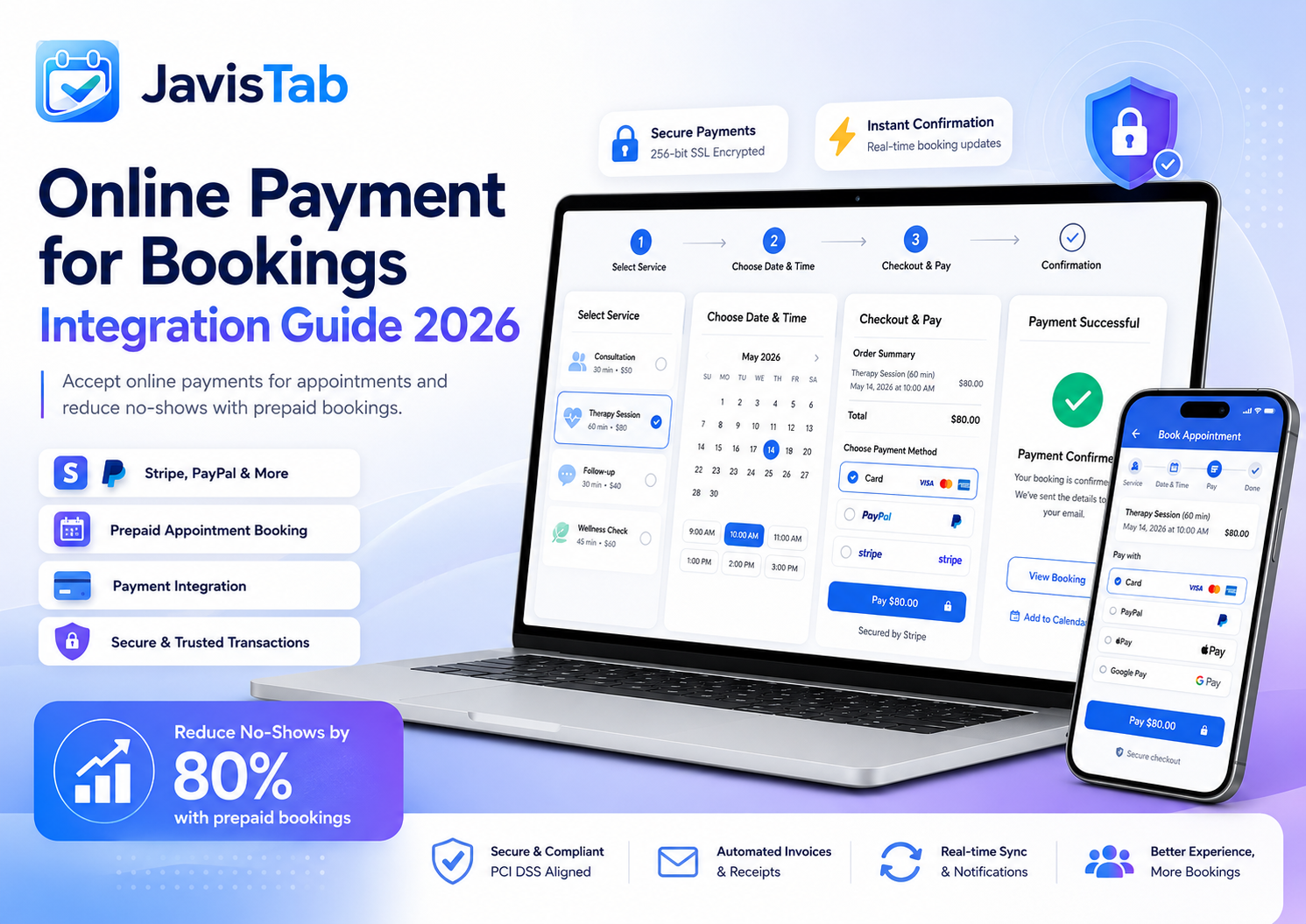
Taking payment at the time of booking isn’t just convenient—it’s transformational. Businesses that require prepayment or deposits see no-show rates drop by 60-80%, cash flow becomes predictable, and the awkward end-of-appointment payment conversation disappears.
This guide covers everything you need to know about integrating online payment into your booking system. From choosing payment processors to configuring deposits, you’ll learn how to implement payments that protect your business while remaining client-friendly.
What You’ll Learn:
- Why payment integration is essential for modern booking
- Comparing payment processors (Stripe vs. PayPal vs. others)
- Setting up payment processing step-by-step
- Deposit strategies that reduce no-shows without alienating clients
- Handling refunds, cancellations, and disputes
Why Accept Payments at Booking
If you’re still taking payments only at the time of service, you’re leaving money on the table and dealing with unnecessary headaches.
The No-Show Problem
No-shows are the silent killer of service businesses. Industry data shows:
| Industry | Average No-Show Rate | Annual Cost (avg small business) |
|---|---|---|
| Salons/Spas | 20-30% | $15,000-45,000 |
| Healthcare | 15-25% | $20,000-60,000 |
| Fitness/Wellness | 25-35% | $12,000-35,000 |
| Consulting | 15-20% | $25,000-75,000 |
Requiring payment—or even just a deposit—creates psychological commitment. When someone has money on the line, they show up.
Actual No-Show Reduction Results
Real data from businesses implementing payment requirements:
- No payment required: 25% no-show rate (baseline)
- Credit card on file: 15% no-show rate (-40%)
- Small deposit ($20-25): 8% no-show rate (-68%)
- 50% deposit: 4% no-show rate (-84%)
- Full prepayment: 2% no-show rate (-92%)
Beyond No-Shows: Other Benefits
Predictable cash flow: Payments collected in advance mean you know exactly what revenue is coming, not hoping clients will pay.
Reduced payment friction: No awkward checkout at the end. Client arrives, receives service, leaves. Simple.
Fewer payment failures: Card declines and “I forgot my wallet” situations eliminated.
Professional perception: Prepayment is standard for concerts, flights, hotels—why not services? It signals you’re a professional operation.
Payment Options Explained
Not all payment approaches work for all businesses. Understanding your options helps you choose the right strategy.
Full Prepayment
Customer pays the entire service cost when booking.
Best for:
- Lower-priced services (under $100)
- Businesses with high no-show rates
- Online/digital services
- Classes and group sessions
Pros: Maximum no-show reduction, guaranteed revenue, simple checkout
Cons: May deter some customers, higher refund complexity
Percentage Deposit
Customer pays a percentage (typically 25-50%) at booking, balance at service.
Best for:
- Higher-priced services
- Services where final price may vary
- New businesses building trust
Pros: Balance between commitment and flexibility, reasonable for most customers
Cons: Still need to collect balance, partial revenue guarantee
Flat-Fee Deposit
Customer pays a fixed amount (e.g., $25 or $50) regardless of service price.
Best for:
- Businesses with varied service prices
- First-time client bookings
- Simplicity in communication
Pros: Easy to explain and understand, consistent policy
Cons: Less protection on high-value services
Card on File (No Charge)
Customer provides card details; charge only occurs for no-shows or late cancellations.
Best for:
- Businesses prioritizing client convenience
- Established clients with good history
- Healthcare and similar sensitive industries
Pros: Lower booking friction, still creates accountability
Cons: Cards may decline when charged later, less commitment than actual payment
Pay Later
No payment required at booking; pay at service time.
Best for:
- Very established client relationships
- Services where no-shows have minimal impact
- Situations where trust is already established
Pros: Maximum convenience, no booking friction
Cons: Highest no-show rates, payment collection required at service
Hybrid Approaches
Many successful businesses use tiered systems:
- New clients: 50% deposit or full prepayment
- Established clients (5+ visits): Card on file or lower deposit
- VIP clients: Pay later privilege as a loyalty benefit
- High-value services: Higher deposit requirement
- Low-value services: Full prepayment (simple, low stakes)
Choosing a Payment Processor
Your payment processor affects everything from transaction fees to customer experience. Here’s how to choose.
Key Comparison Factors
| Factor | Stripe | PayPal | Square |
|---|---|---|---|
| Transaction Fee | 2.9% + $0.30 | 2.9% + $0.30 | 2.9% + $0.30 |
| Monthly Fee | None | None | None |
| Setup Complexity | Easy | Very Easy | Easy |
| Payout Speed | 2 days | Instant (to PayPal) | 1-2 days |
| Customer Experience | Seamless (on-site) | Redirect (off-site) | Seamless (on-site) |
| Recurring/Saved Cards | Excellent | Limited | Good |
| Chargeback Protection | Good | Good | Good |
Stripe: Our Recommendation
Stripe is the preferred choice for most booking systems, including JavistAB, for several reasons:
- On-site checkout: Customers never leave your website—cleaner experience, higher conversion
- Excellent card storage: Easy repeat bookings with saved payment methods
- Global support: Works in 40+ countries with local payment methods
- Developer-friendly: Best integration with WordPress and booking plugins
- Modern security: PCI compliant with advanced fraud protection
PayPal: When It Makes Sense
PayPal works well when:
- Your customers specifically request PayPal
- You serve international clients (PayPal is globally recognized)
- You want to offer it as a secondary option alongside Stripe
Square: For Existing Square Users
If you already use Square for in-person payments, using Square for online booking creates a unified system. However, it offers less flexibility than Stripe for online-only scenarios.
Offering Multiple Options
Consider offering both Stripe and PayPal. Some customers have strong preferences, and offering choice increases conversion. Most booking plugins like JavistAB support multiple payment gateways simultaneously.
Setup Guide: Payment Integration
Follow these steps to enable payment processing in your booking system.
Prerequisites
- SSL certificate: Required for secure payments (most hosts provide free SSL)
- Business information: Legal name, address, tax ID
- Bank account: For receiving payouts
- Booking plugin: Payment-capable plugin installed (like JavisTab)
Step 1: Create Payment Processor Account
For Stripe:
- Go to stripe.com and create an account
- Verify your email address
- Complete business verification (name, address, tax ID)
- Add bank account for payouts
- Wait for account activation (usually instant, sometimes 1-2 days)
For PayPal:
- Go to paypal.com/business
- Create a Business account
- Verify email and complete profile
- Link bank account
Step 2: Get API Credentials
Stripe API Keys:
- Log into Stripe Dashboard
- Go to Developers → API Keys
- Copy your Publishable key (starts with pk_)
- Copy your Secret key (starts with sk_)
- Note: Use test keys (pk_test_, sk_test_) for testing first
PayPal Credentials:
- Log into PayPal Developer Dashboard
- Go to Apps & Credentials
- Create a new app or use default
- Copy Client ID and Secret
Step 3: Configure in Booking Plugin
- Navigate to your booking plugin’s payment settings
- Enable your chosen payment gateway(s)
- Enter API keys/credentials
- Configure payment options:
- Currency
- Payment requirement (full, deposit, optional)
- Deposit amount/percentage
- Save settings
Step 4: Test Thoroughly
Using test mode:
- Ensure test API keys are entered
- Complete a test booking with payment
- Use Stripe test card: 4242 4242 4242 4242 (any future date, any CVC)
- Verify payment appears in Stripe test dashboard
- Test refund process
- Test failed payment scenarios
Going live:
- Replace test API keys with live keys
- Complete a small real transaction
- Verify payout to bank account
- Monitor for first week of live transactions
Deposit Strategies That Work
The right deposit strategy balances no-show prevention with client experience.
Recommended Deposit Structures by Business Type
| Business Type | Recommended Approach | Typical Amount |
|---|---|---|
| Salon/Spa | Percentage deposit | 25-50% or min $25 |
| Consulting | Full prepayment | 100% |
| Fitness classes | Full prepayment | 100% |
| Healthcare | Card on file | Charge only for no-show |
| Photography | 50% deposit | 50% of package |
| Mobile services | Flat fee deposit | $50 booking fee |
Communicating Deposit Requirements
How you frame deposits matters as much as the amount:
Don’t say: “We require a $50 deposit because of no-shows.”
Do say: “A $50 deposit secures your exclusive time slot and applies directly to your service.”
Key messaging points:
- Deposit applies to the service (not an extra fee)
- Secures their dedicated time
- Clear cancellation policy for deposit refunds
- Professional standard practice
Tiered Deposit Systems
Sophisticated approach for different scenarios:
- Service value tiers:
- Under $50: Full prepayment
- $50-150: 50% deposit
- Over $150: 25% deposit (min $50)
- Client relationship tiers:
- New clients: 50% deposit
- Returning clients (3+ visits): 25% deposit
- VIP clients (10+ visits): Card on file only
Managing Cancellations and Refunds
Clear policies and consistent enforcement are essential for payment-based booking.
Recommended Cancellation Policy
Sample Policy:
- 48+ hours before: Full refund of deposit
- 24-48 hours before: 50% refund of deposit
- Less than 24 hours: No refund (deposit forfeited)
- No-show: No refund, may require prepayment for future bookings
Displaying Policies
Policies should be visible at multiple points:
- During booking flow (before payment)
- In confirmation email
- In reminder emails
- On your website’s booking/FAQ page
Processing Refunds
In your booking plugin and payment processor:
- Locate the booking/transaction
- Initiate refund (full or partial)
- Add note explaining reason
- Notify customer of refund processing
- Allow 5-10 business days for customer to receive
Handling Disputes
Occasionally, customers may dispute charges with their bank (chargebacks). To minimize and handle disputes:
Prevention:
- Clear policies displayed before payment
- Confirmation emails with booking details
- Easy cancellation/rescheduling process
- Responsive customer service
If a dispute occurs:
- Respond promptly with evidence (booking confirmation, policies, communication)
- Payment processors guide you through the process
- Most disputes are resolved in merchant’s favor with proper documentation
Security and Compliance
Payment security isn’t optional—it’s essential for legal compliance and customer trust.
PCI Compliance Basics
PCI DSS (Payment Card Industry Data Security Standard) governs how businesses handle card data. The good news: using Stripe or PayPal handles most compliance automatically.
Your responsibilities:
- Use HTTPS (SSL certificate) on all pages
- Never store card numbers yourself
- Keep WordPress and plugins updated
- Use strong passwords and two-factor authentication
- Limit access to payment settings
SSL Certificate
An SSL certificate is non-negotiable for payment processing:
- Encrypts data between customer and your site
- Required by payment processors
- Displays padlock icon and “https” in browser
- Most hosts provide free SSL (Let’s Encrypt)
Best Practices
- Regularly update WordPress, themes, and plugins
- Use a WordPress security plugin (Wordfence, Sucuri)
- Implement strong password policies
- Backup your site regularly
- Monitor for suspicious activity
- Keep API keys confidential
Troubleshooting Common Issues
Payment Not Processing
Common causes:
- Incorrect API keys (test keys in live mode or vice versa)
- SSL certificate not active
- Payment gateway not properly configured
- Currency mismatch
Solutions:
- Verify API keys match your mode (test/live)
- Check SSL is active (https://)
- Review payment gateway settings in plugin
- Check payment processor dashboard for errors
Customers Seeing Payment Errors
Common causes:
- Card declined by bank
- JavaScript conflicts on page
- Browser blocking payment scripts
- Invalid card information entered
Solutions:
- Ask customer to try different card
- Try different browser or incognito mode
- Disable browser extensions temporarily
- Check for JavaScript errors in browser console
Payouts Not Arriving
Common causes:
- Account verification incomplete
- Bank account details incorrect
- Minimum payout threshold not met
- Account flagged for review
Solutions:
- Complete all verification steps in payment processor
- Verify bank account details are correct
- Check payout schedule settings
- Contact payment processor support
Start Accepting Payments Today
Integrating online payment into your booking system is one of the highest-impact changes you can make for your service business. Reduced no-shows, improved cash flow, and professional operations all compound into significant business improvement.
Start with a reasonable deposit strategy that protects your business without creating excessive friction. Most clients accept payment requirements readily—those who push back strongly are often the ones most likely to no-show anyway.
The setup process is straightforward with modern tools like Stripe and booking plugins designed for integration. Within a few hours, you can have a fully functional payment system protecting every booking.
Ready to Accept Payments for Bookings?
JavisTab includes seamless Stripe and PayPal integration. Set up deposits, prepayments, and automated payment policies in minutes.
Try Free Demo Explore FeaturesShare this article
Related articles
Best WordPress Booking Plugin: What to Compare Before You Buy

Start with the booking model, not the brand A booking plugin can look polished and still be wrong for the business. A solo consultant needs one-to-one appointments and calendar protection.…
How to Configure Booking Deposits on WordPress
Booking deposit start with a deposit policy, not a gateway A deposit is a risk-control rule. It may protect scarce staff time, equipment, rooms, tables, group capacity, or advance preparation.…
JavisTab vs Amelia: Features, Pricing, Best Fit and Trade-offs
JavisTab vs Amelia at a glance WordPress booking plugin comparison : JavisTab and Amelia overlap in online booking, staff/services, locations, payments, deposits, notifications, customer records, and WordPress ownership. Their centers…
Best WordPress Restaurant Booking Plugin 2026: 7 Options Compared

Running restaurant reservations through phone calls, direct messages, spreadsheets, and handwritten notes may work when a venue is quiet. It becomes risky as soon as booking volume grows, several staff…