
The best WordPress booking plugin is the one that matches your real booking model, prevents scheduling conflicts, collects the right payment, and remains supportable after launch.
Compare availability rules, staff and resource logic, customer experience, calendar sync, data ownership, privacy, integrations, updates, and three-year cost before judging a demo or feature list.
Start with the booking model, not the brand
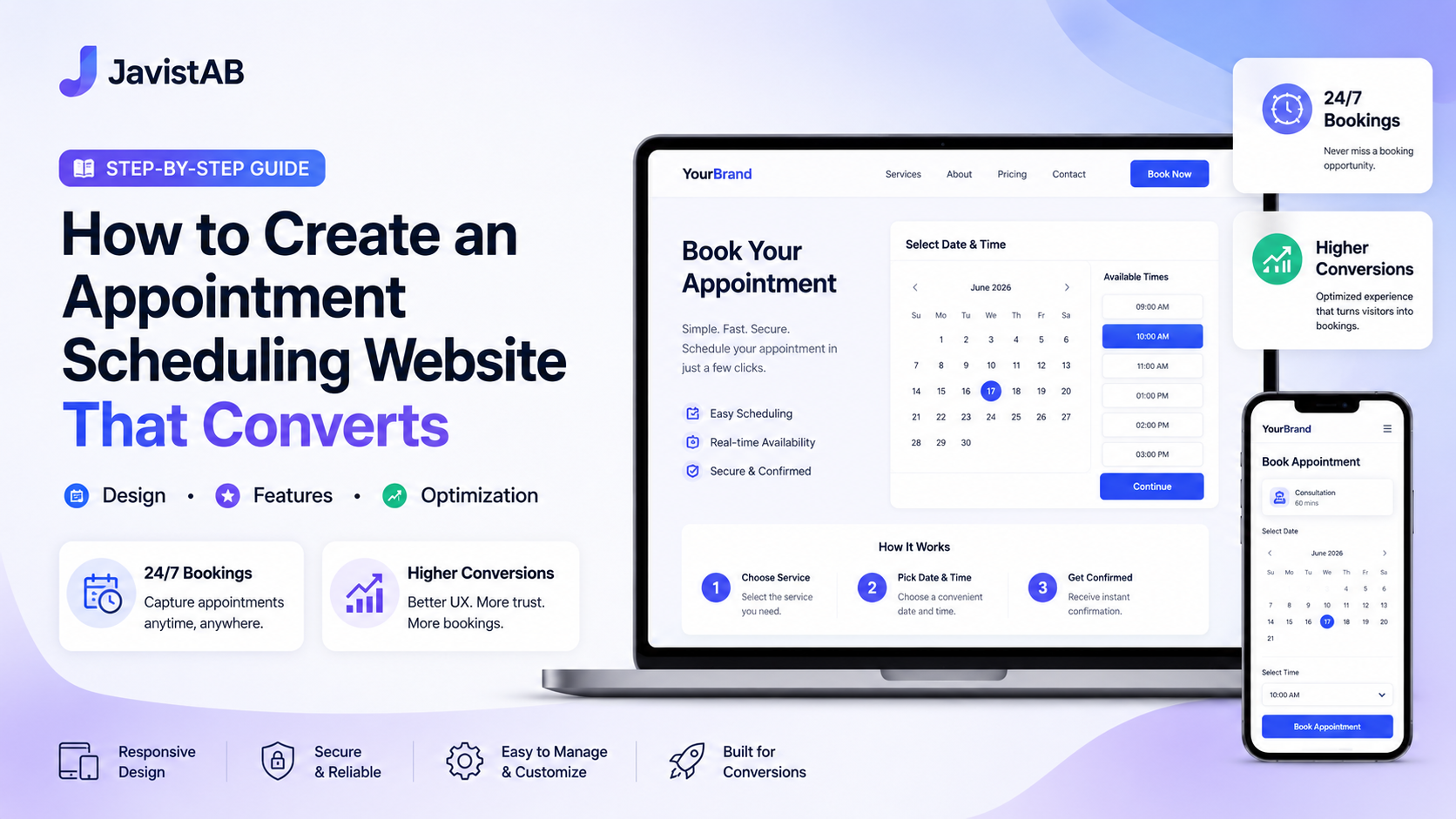
A booking plugin can look polished and still be wrong for the business. A solo consultant needs one-to-one appointments and calendar protection. A spa needs services, qualified staff, treatment rooms, buffers, deposits, and repeat-customer context. A restaurant may need party-size capacity, tables, waitlists, and location-specific rules. A class business needs a shared start time and seat capacity. These are different inventory problems, so the first buying question is not “Which plugin has the most features?” It is “Which plugin represents the units we actually sell and reserve?”
Write down five common bookings and two difficult exceptions before opening a product page. Include a normal booking, a high-value booking, a cancellation, a staff absence, a resource conflict, and any multi-location or group scenario. A suitable WordPress booking plugin should complete those cases with configuration rather than custom code. If a demo requires staff to remember workarounds, the workaround becomes an operating cost after launch.
Ten criteria to compare before you buy
1. Availability and conflict prevention
Confirm how the plugin combines business hours, service duration, setup or cleanup buffers, lead time, booking horizon, holidays, staff schedules, room capacity, and existing calendar events. Ask whether availability is calculated on the server when the booking is submitted, not only when the page first loads. That final check is what protects against two customers taking the last slot at nearly the same moment.
2. Services, staff, resources, groups, and locations
List every object that can make a booking unavailable. It may be a person, room, table, chair, vehicle, piece of equipment, class seat, or branch. Then verify assignment rules: can any qualified employee deliver the service, can the customer choose, can several services share one employee, and can different services in the same order use different employees? Multi-location businesses should also prove that services, schedules, payments, and notifications stay scoped to the selected branch.
3. Payments, deposits, taxes, and refunds
A logo for a payment gateway is not enough. Test deposits, full payment, pay later, tax, service charges, discounts, zero-decimal currencies, failed payments, duplicate callbacks, refunds, invoices, and reconciliation. Identify which amount is due now and which balance remains. Provider processing fees are separate from plugin license fees, so include both in the total cost. Never assume a gateway supports your country, business category, settlement currency, or preferred refund process without checking the provider directly.
4. Customer journey and accessibility
Book from a phone in a private browser. Count the steps, fields, and page loads. Check labels, keyboard navigation, error messages, contrast, date controls, translation quality, and whether the summary updates before payment. The customer should know the service, location, staff choice, date, time, price, deposit, cancellation terms, and next step before confirming. A shorter form is not automatically better; the goal is the least friction that still captures information required to fulfil the booking.
5. Calendar sync and notifications
Decide whether you need one-way event creation, two-way availability blocking, or both. Test what happens when an appointment is changed or cancelled in WordPress and whether an external busy event removes availability. Review confirmation, reminder, reschedule, cancellation, payment, and staff notifications. Calendar and email failures should be visible in logs; otherwise staff discover them from an unhappy customer. SMS or messaging charges should be included in the budget where applicable.
6. CRM, reporting, and data portability
For repeat-service businesses, a booking is also a customer record. Compare visit history, spend, no-shows, notes, segmentation, loyalty, and consent-aware marketing. Ask what can be exported, what remains after a license expires, and how data maps into another system. Reports should answer operational questions such as demand by service, employee utilization, cancellation patterns, outstanding balances, and form drop-off. A dashboard that only counts bookings is not a complete management view.
7. WordPress security and privacy
Booking forms handle names, contact details, schedules, notes, and sometimes payment references. Review capability checks, nonces, input validation, output escaping, prepared database queries, REST permissions, webhook verification, retention controls, and the WordPress personal-data exporter and eraser. The WordPress Plugin Developer Handbook provides the baseline engineering model; a buyer should also require a clear update process, vulnerability response, and disclosure of third-party services.
8. Integrations and extensibility
Separate essential integrations from attractive extras. Verify the exact calendar, payment, email, page-builder, analytics, form, automation, and accounting connections required by your workflow. Check whether they are native, paid add-ons, third-party connectors, or custom API projects. Agencies should inspect hooks, shortcodes, REST endpoints, template override behavior, and staging-license rules. More integrations can create more maintenance, so prefer the smallest dependable stack that covers the business case.
9. Performance, compatibility, updates, and support
Test the booking page with the production theme, caching layer, security plugin, consent manager, multilingual setup, and supported PHP version. Confirm that dynamic availability and payment-return requests bypass inappropriate page caches. Review changelogs, update frequency, rollback procedure, documentation accuracy, support channels, response expectations, and license behavior on staging. A reliable backup and test process matters more than an update button.
10. Three-year total cost
Compare the exact tier and site count over three years, not a promotional headline. Include renewals, premium add-ons, implementation, data migration, hosting, payment processing, calendar or video services, email or SMS delivery, support, training, and custom development. Lifetime licenses reduce one line item but do not eliminate hosting, provider fees, maintenance, or operational ownership. Capture the date of every quote because commercial terms can change.
| Buyer test | Evidence to request | Pass condition |
|---|---|---|
| Booking fit | Build five real bookings and two exceptions in a demo. | No manual workaround for the highest-volume flow. |
| Availability | Overlap, staff absence, room conflict, external busy event. | The final slot cannot be double-booked. |
| Money | Deposit, failed payment, duplicate webhook, refund, invoice. | Booking, payment, email, and gateway records agree. |
| Operations | Change, cancel, reassign, check in, mark no-show, export. | A trained manager can complete each task without a developer. |
| Governance | Privacy notice, roles, exporter/eraser, changelog, backup test. | Named owner, documented controls, and recoverable update path. |
| Economics | Three-year quote with every required add-on and provider. | Comparable scope, domains, support period, and usage assumptions. |
Where JavisTab fits in the shortlist
Javis Booking Pro 6.7.8 is broader than a simple appointment calendar. Its verified source contains presets for restaurant reservations, one-to-one and group appointments, classes, tours, hotel stays, events, consultations, and custom flows. Presets change step order, labels, and user-experience defaults; they do not create separate booking or payment engines. That shared foundation matters because a business can use one operational model while presenting an industry-appropriate journey.
- Availability can combine services, staff schedules, off-days, service buffers, capacity, and Google Calendar busy periods.
- The booking form supports location, group or guest-service choices, staff selection, multiple services, details, payment, and confirmation according to the selected flow.
- Supported payment integrations in the supplied build are PayPal, Stripe, Square, Razorpay, OnePay, and bank transfer, with deposit and prepaid paths in the booking engine.
- Customer records can track visits, no-shows, and spend; CRM segments include high spenders, frequent visitors, at-risk customers, new customers, and large-group bookers.
- The plugin includes loyalty points, multilingual notifications, booking lookup, privacy exporter and eraser integration, and shortcodes for booking and availability experiences.
JavisTab is a strong candidate when a small business wants booking, payment, basic customer intelligence, loyalty, and several industry workflows inside WordPress. It deserves extra proof when the project depends on a large third-party extension marketplace, a specific enterprise integration, or a workflow not represented in the supplied build. Verify the installed version because public documentation can lag product code, and disable modules the business will not operate.
How the leading alternatives differ
| Product | Official product emphasis | Best proof to run |
|---|---|---|
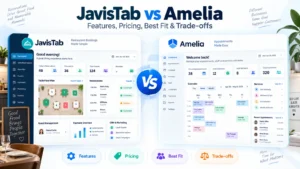
| Amelia | Appointments and events with employees, services, locations, payments, custom fields, and recurring options. | Employee scheduling, recurring booking, event, and required integration scenarios. |
| Bookly | Modular appointment scheduling with services, staff, notifications, payments, calendar sync, and paid add-ons. | Calculate the exact add-on stack and test every add-on interaction. |
| LatePoint | Appointment scheduling with custom forms, automations, notifications, payments, invoices, and recurring scheduling. | Build the full automation chain, customer portal, and payment recovery path. |
| BookingPress | Service appointments, real-time availability, payments, staff, integrations, and unlimited-booking positioning. | Verify plan entitlements, gateway fit, staff rules, and upgrade workflow. |
| Booknetic | Customizable booking widget, workflows, forms, customer panel, and a broad integration catalog. | Price the required add-ons and test workflow actions under failure conditions. |
| Simply Schedule Appointments | WordPress-first appointment scheduling with availability, reminders, Google Calendar, team or group options, and page-builder integrations. | Confirm that the desired team, group, payment, and calendar features are in the selected edition. |
These descriptions are product shapes, not a universal ranking. Official feature pages show what vendors intend to support, while your demo proves whether the implementation matches the business. Shortlist two or three products, use identical test data, and record the result. Avoid scoring dozens of features equally: a failed conflict check or payment reconciliation should outweigh ten cosmetic options.
A practical 45-minute buying test
- Spend five minutes defining the service, duration, price, resource, staff rule, location, and cancellation policy.
- Spend ten minutes configuring availability, a staff absence, a room or capacity limit, and an external calendar conflict.
- Spend ten minutes booking on mobile, including a validation error, deposit, and confirmation.
- Spend ten minutes changing, cancelling, refunding, reassigning, and exporting the booking as a manager.
- Spend five minutes checking logs, permissions, privacy tools, documentation, and the update path.
- Spend five minutes writing the three-year cost and every assumption that could change it.
Red flags that should stop a purchase
- The vendor cannot explain which object prevents a conflict or when availability is rechecked.
- A required feature exists only in screenshots, a roadmap, or a different tier that is not in the quote.
- Payment success, booking confirmation, and refund records can disagree without an auditable recovery process.
- The plugin collects personal data but provides no usable privacy disclosure, access control, export, or erasure path.
- The demo works only after disabling the production cache, security layer, theme feature, or multilingual setup with no documented fix.
- The commercial offer hides renewal, add-on, domain, support, or usage assumptions needed for a comparable total cost.
Frequently asked questions
What is the best WordPress booking plugin for a small business?
The best fit depends on what becomes unavailable when a customer books. Start with services, people, rooms, capacity, payments, and locations, then test the full customer and staff workflow. JavisTab is a strong shortlist option when booking, payments, CRM, loyalty, and mixed industry flows need to remain inside WordPress.
Should I choose a free or paid booking plugin?
Use a free edition only when it covers the production workflow, update path, and support risk. Deposits, payment gateways, multiple staff, calendar blocking, reminders, resources, and integrations often sit in paid plans or add-ons. Compare three-year ownership rather than treating zero license cost as zero operating cost.
Does a WordPress booking plugin need WooCommerce?
Not necessarily. Some plugins use their own checkout and gateways; others integrate with WooCommerce for payment, tax, or order workflows. Choose based on the systems you already operate. Javis Booking Pro 6.7.8 includes its own booking, payment, deposit, and invoice paths, so standard use does not require WooCommerce.
How do I avoid double bookings?
Configure every availability source, including staff schedules, rooms or capacity, service duration and buffers, holidays, booking limits, and external busy events. Then run simultaneous tests for the last available slot. The server must reject the second conflicting submission even if both customers originally saw the slot.
What should I ask about data ownership?
Ask where customer and booking data is stored, what is sent to third parties, what can be exported, how erasure works, what remains after license expiry, and how backups are restored. Also verify role permissions and whether payment credentials or sensitive notes are protected appropriately.
How often should a comparison page be refreshed?
Review volatile feature, pricing, plan, integration, and support claims before publication and at least every 90 days. Recheck the article after major WordPress, PHP, payment-gateway, calendar, or plugin releases. Keep a visible last-reviewed date and update dateModified when substantive changes are made.